← All projects
Portfolio case study 02 · Reconciliation
Payment-to-Invoice Reconciliation
Match payments to receivables and give unresolved transactions a clear review path.
The challenge
Where the process needs structure.
A received payment does not always settle an invoice exactly. Partial payments, overpayments, unmatched transactions, and repeated processing need distinct handling so the records remain useful.
How the system works.
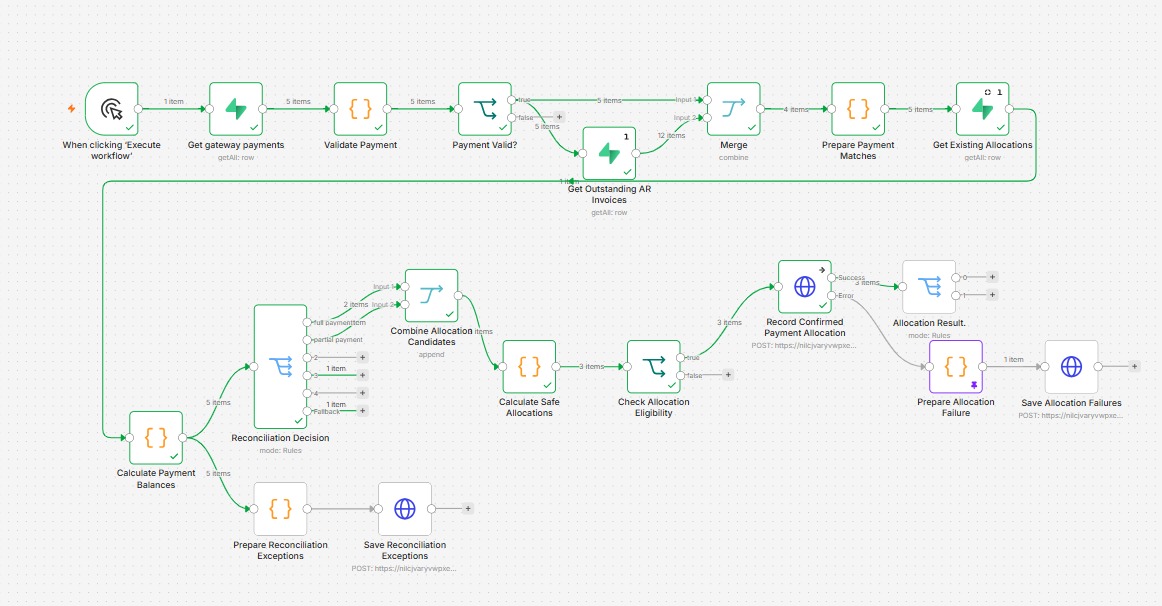
- Read and validate payments. Retrieve payment records and check that the information required for matching is present.
- Compare with receivables. Retrieve outstanding invoices and existing allocation records before calculating payment balances.
- Separate the reconciliation outcomes. Use different paths for full payments, partial payments, overpayments, and transactions that cannot be matched.
- Record eligible allocations. Calculate safe allocations, check their eligibility, and record confirmed payment-to-invoice allocations.
- Preserve exceptions for review. Save reconciliation exceptions and allocation failures so unresolved items remain visible to finance.
Project evidence
Workflow and records.
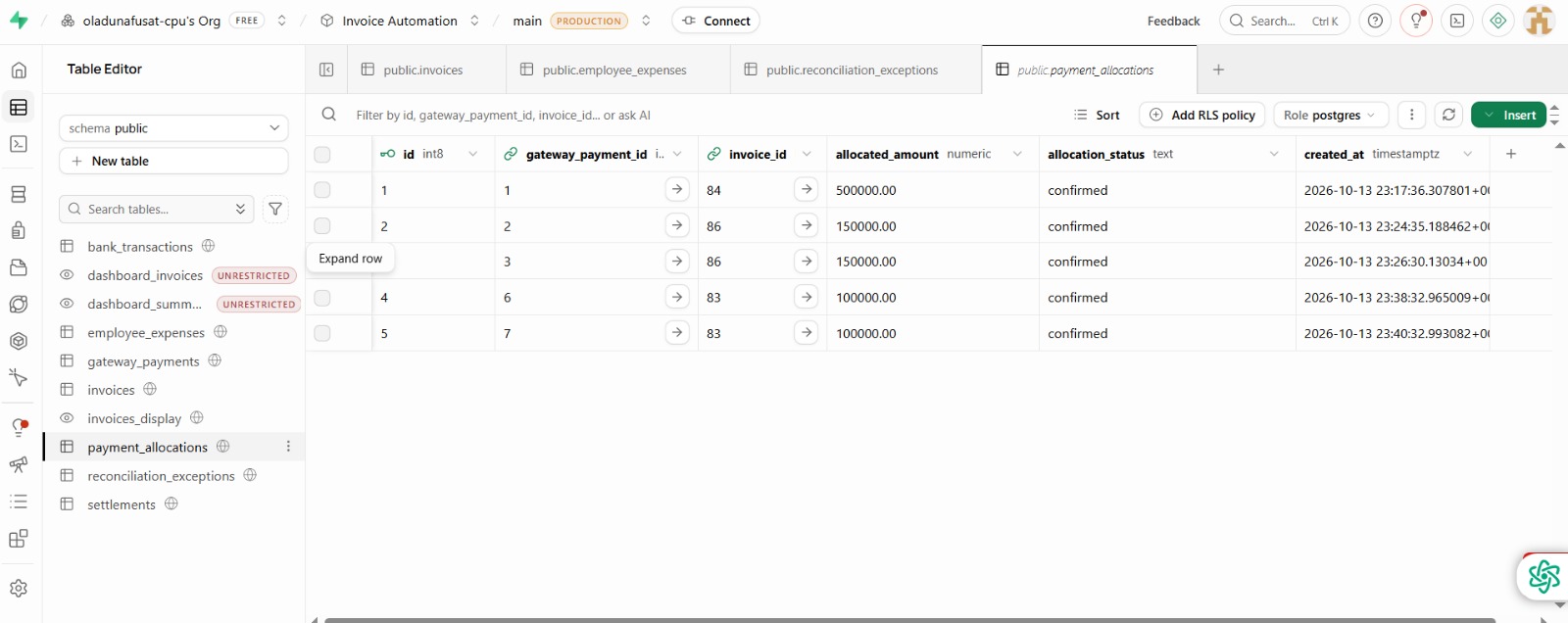
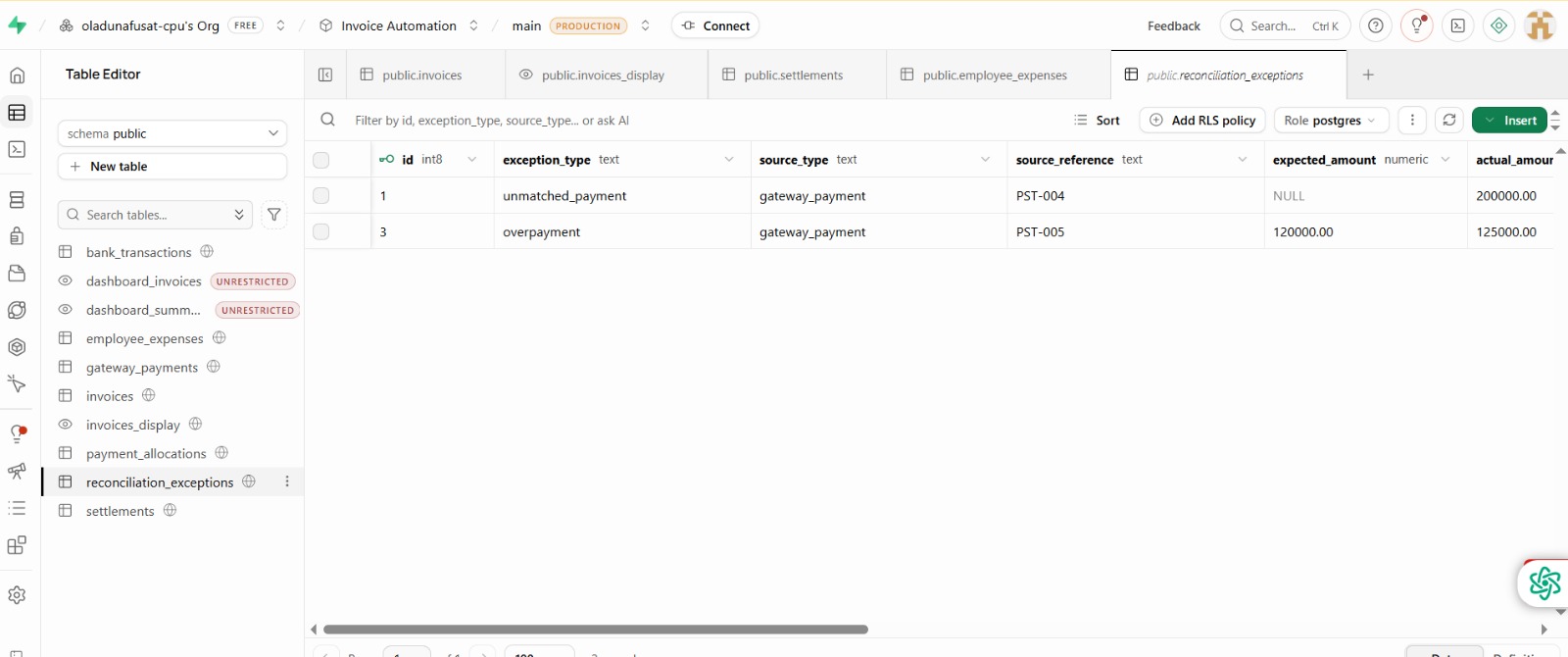
This is a portfolio demonstration using simulated data. The screenshots and walkthrough show the project; they do not provide access to a live finance system.